
 Game screenshot not available yet
C64
A-MAZING
A-MAZING for Commodore 64. Open the game and choose a version from the archive.
Familiar keys, tapes and floppy disks. Commodore 64 games with joystick controls and an on-screen keyboard in your browser.

Games found: 586
40 games per pageGame screenshot not available yetA-MAZING for Commodore 64. Open the game and choose a version from the archive.
Game screenshot not available yetA-PACALN for Commodore 64. Open the game and choose a version from the archive.
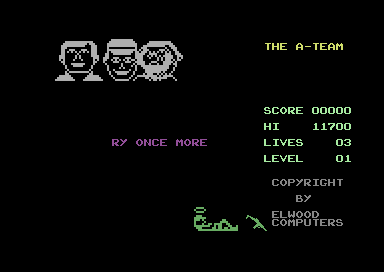
A-TEAM for Commodore 64. Open the game and choose a version from the archive.
Game screenshot not available yetA-ZQUIZ for Commodore 64. Open the game and choose a version from the archive.
Game screenshot not available yetA-ZSPIEL for Commodore 64. Open the game and choose a version from the archive.
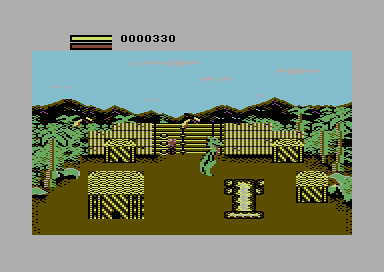
Aaargh! is a single-player action video game in which the player controls a giant monster with the goal of obtaining eggs by destroying buildings in different cities across a lost island. It was designed for Mastertronic's Arcadia Systems, an arcade machine based on the custom hardware of the Amiga, and was released in 1987. It was ported to a range of other platforms and released on these across 1988 and 1989. Electronic Arts distributed the Amiga version of the game.
Game screenshot not available yetAAKE1- for Commodore 64. Open the game and choose a version from the archive.
Game screenshot not available yetAAKE2- for Commodore 64. Open the game and choose a version from the archive.
Game screenshot not available yetAAKE3 for Commodore 64. Open the game and choose a version from the archive.
Game screenshot not available yetAAMS for Commodore 64. Open the game and choose a version from the archive.
Game screenshot not available yetAANIMUIS for Commodore 64. Open the game and choose a version from the archive.
Game screenshot not available yetAANVAL for Commodore 64. Open the game and choose a version from the archive.
Game screenshot not available yetAARDVARK for Commodore 64. Open the game and choose a version from the archive.
Game screenshot not available yetAARDVATT for Commodore 64. Open the game and choose a version from the archive.
Game screenshot not available yetAARGH! for Commodore 64. Open the game and choose a version from the archive.
Game screenshot not available yetAARGHKRA for Commodore 64. Open the game and choose a version from the archive.
Game screenshot not available yetAASMAST0 for Commodore 64. Open the game and choose a version from the archive.
Game screenshot not available yetAASMAST1 for Commodore 64. Open the game and choose a version from the archive.
Game screenshot not available yetABC for Commodore 64. Open the game and choose a version from the archive.
Game screenshot not available yetABCBEAST for Commodore 64. Open the game and choose a version from the archive.
Game screenshot not available yetABCPANIC for Commodore 64. Open the game and choose a version from the archive.
Game screenshot not available yetABCRICKT for Commodore 64. Open the game and choose a version from the archive.
Game screenshot not available yetABCWIED- for Commodore 64. Open the game and choose a version from the archive.
Game screenshot not available yetABDUCTED for Commodore 64. Open the game and choose a version from the archive.
Game screenshot not available yetABECEDA for Commodore 64. Open the game and choose a version from the archive.
Game screenshot not available yetABENTEUE for Commodore 64. Open the game and choose a version from the archive.
Game screenshot not available yetABFAHRER for Commodore 64. Open the game and choose a version from the archive.
Game screenshot not available yetABHOR for Commodore 64. Open the game and choose a version from the archive.
Game screenshot not available yetABISSI for Commodore 64. Open the game and choose a version from the archive.
Game screenshot not available yetABNORMAL for Commodore 64. Open the game and choose a version from the archive.
Game screenshot not available yetABOULDER for Commodore 64. Open the game and choose a version from the archive.
Game screenshot not available yetABRAGOLF for Commodore 64. Open the game and choose a version from the archive.
Game screenshot not available yetABRAKA1- for Commodore 64. Open the game and choose a version from the archive.
Game screenshot not available yetABRAKA2- for Commodore 64. Open the game and choose a version from the archive.
Game screenshot not available yetABRAKADA for Commodore 64. Open the game and choose a version from the archive.
Game screenshot not available yetABSTRAC- for Commodore 64. Open the game and choose a version from the archive.
Game screenshot not available yetABWEHR for Commodore 64. Open the game and choose a version from the archive.
Game screenshot not available yetABYSS for Commodore 64. Open the game and choose a version from the archive.
Game screenshot not available yetACCELERA for Commodore 64. Open the game and choose a version from the archive.
Game screenshot not available yetACCHIAPP for Commodore 64. Open the game and choose a version from the archive.
On a phone, use the joystick, fire button and full on-screen keyboard. On a computer, arrows control directions and X / Z fire. Switch physical input to keyboard mode in player settings to type text.
The player uses VICE for Commodore 64. Joystick port 2 is selected by default; switch to port 1 if required by the game. TOSEC identifies an image collection; the game format is detected during import.
Loading a tape or disk may take time inside the emulator. Saving progress requires registration and sign-in.